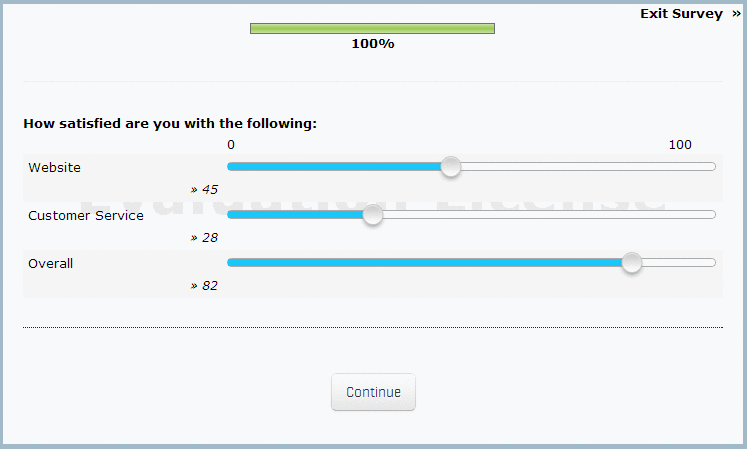
Interactive Slider Rating Scale

Interactive Slider Rating Scales

What are the benefits of using Interactive Slider Rating Scales?

Interactive Slider Rating Scales gives researchers the opportunity to produce question and answer styles that incorporate a greater breadth of answers, as well as enable animation and interactivity.

How to insert an Interactive Slider Rating Scale question type?

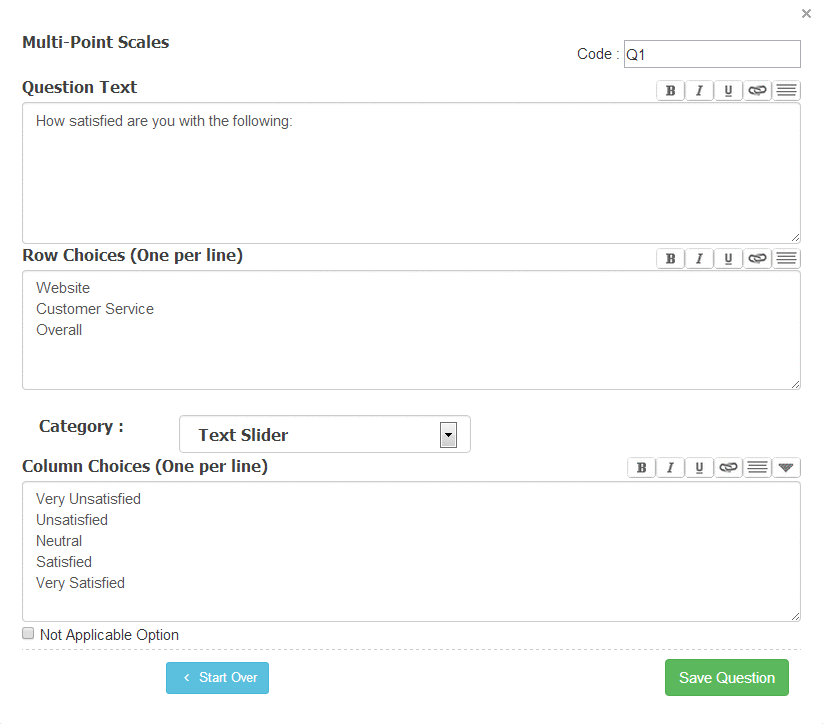
On Edit Survey: Click on the Add New Question button. Click on the Scale (Graphical) option under Matrix table from the Standard Question Types select menu.

1. Screenshot
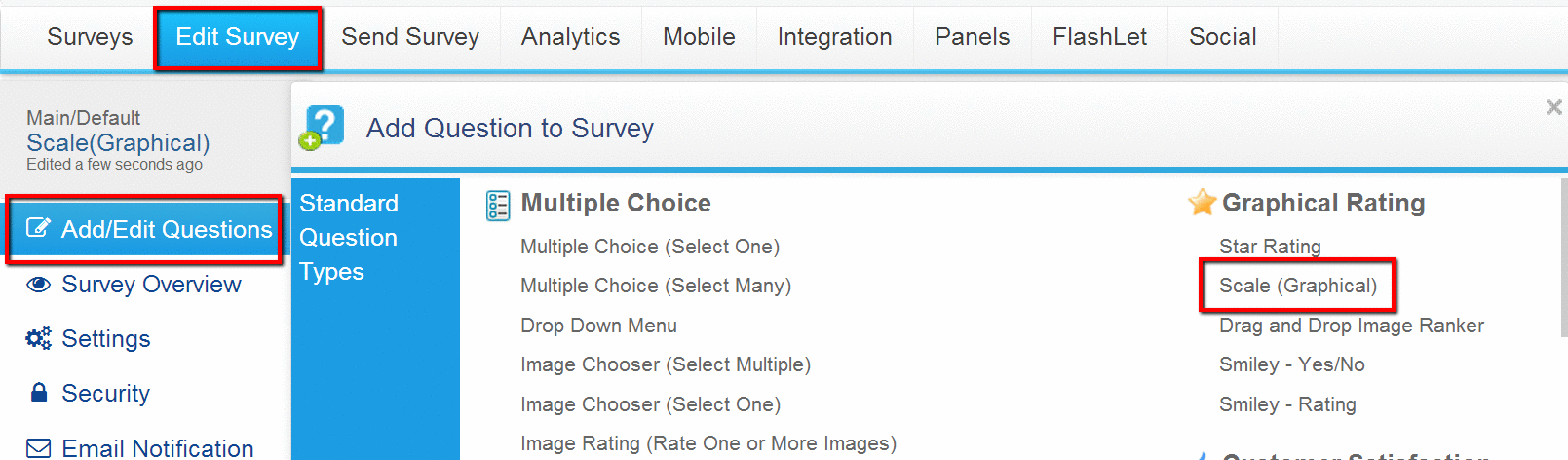
Survey Software Help Image

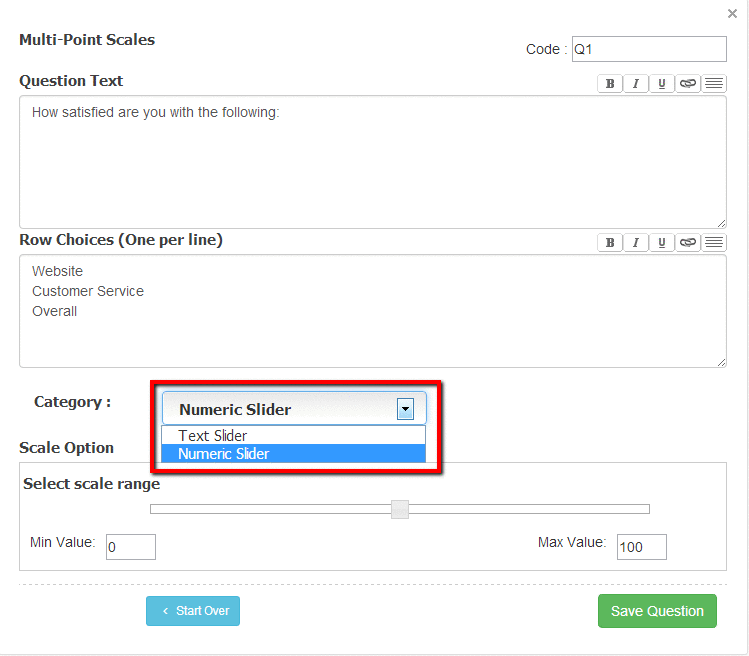
Enter the question text and the answer options.

2. Screenshot

Survey Software Help Image

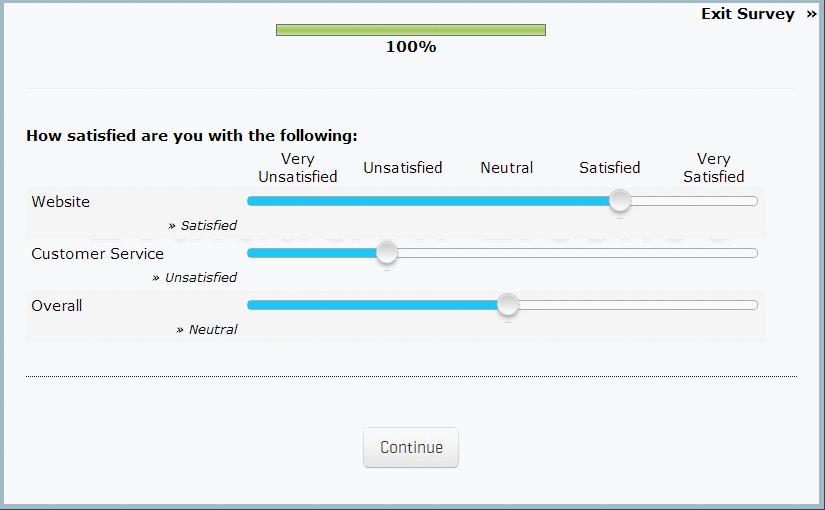
On the survey the question will display as follows:

3. Screenshot

Survey Software Help Image

How can I change the slider scale to Visual Analog Scale?

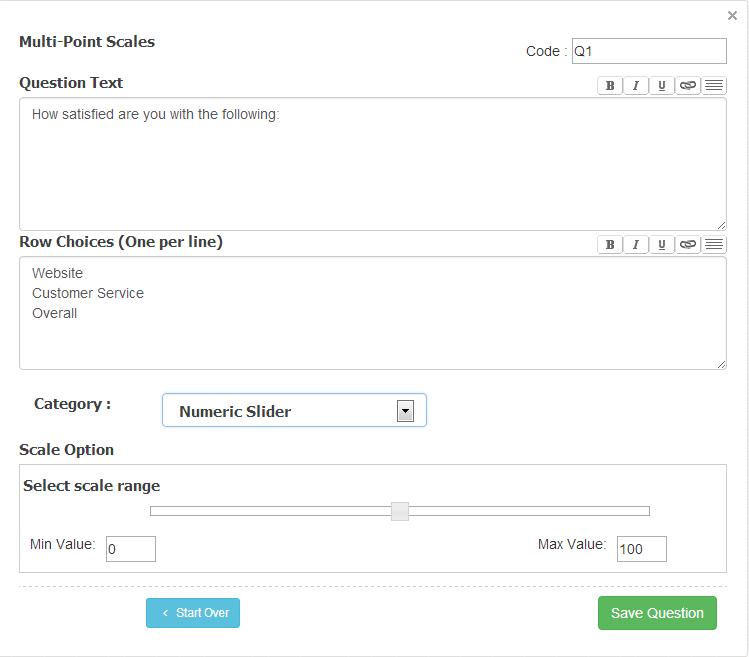
If Visual Analog Scale is enabled only the Left Anchor and Right Anchor will be visible on the scale. To enable you can check mark the box for Enable Visual Analog Scale.

4. Screenshot

Survey Software Help Image

5. Screenshot

Survey Software Help Image

Currently Interactive Slider Scale is not supported on Mobile Devices.

PRODUCTS & SERVICES

SurveySwipe mobile survey panel app for smartphones including iOS and Android devices.

SurveyPocket iPad and Android tablet data app for collecting offline and online data in the field.

Visualize Your Data - Interactive Charts and Dashboard for the Tablet - iPad, Android, Kindle...

Get unprecedented vision into consumers' daily lives by collecting moment-to-moment data from their mobile devices.

MediaBunker helps you securely test videos, audio, pictures and more using mobile devices.