You may also be interested in...
Under Edit Survey tab click on the Add New Question link.
From the Add-On Modules option select the Complex Grid | Flex-Matrix type question
Click on the Next Button
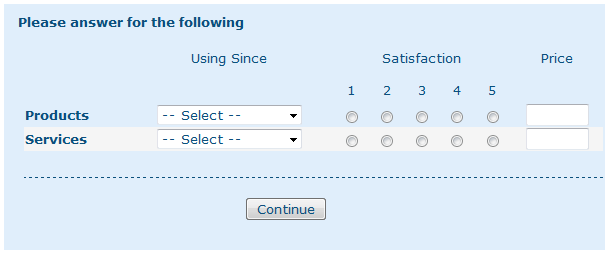
1. Screenshot
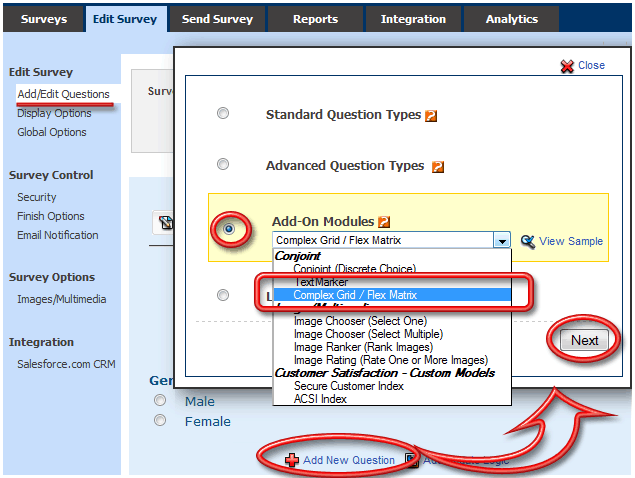
2. Screenshot
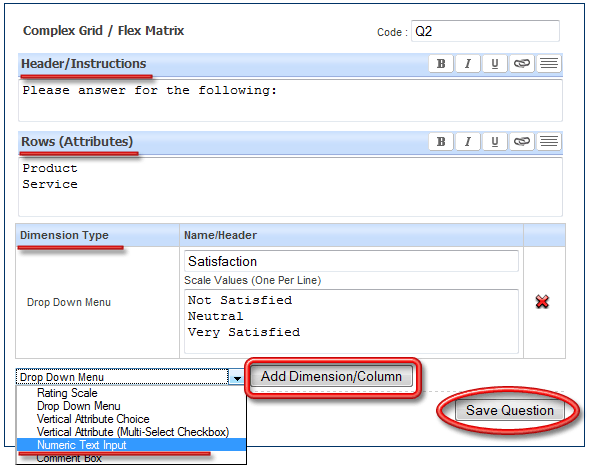
3. Screenshot
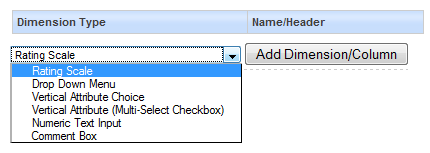
Rating Scale
Drop Down Menu
Vertical Attribute Choice
Verical Attribute (Multi-Select Checkbox)
Numeric Text Input
Comment Box
4. Screenshot