Help/Support   
Online Surveys Made Easy
UNLIMITED Surveys, UNLIMITED Responses, Easy to Use
Email Address:
or Take a Tour
Survey Analytics customized reports and charts FAQ. Survey Reporting, Customized Reports, Survey Charts, Data Visualization, Online Surveys, Survey Analytics FAQ On Customized Reports/Charts
When you create a Customized Report/Chart after adding all the questions to your survey, a slide for each of the question in your survey will be created. You can edit each of these slides and customize the slides to fit your presentation needs.
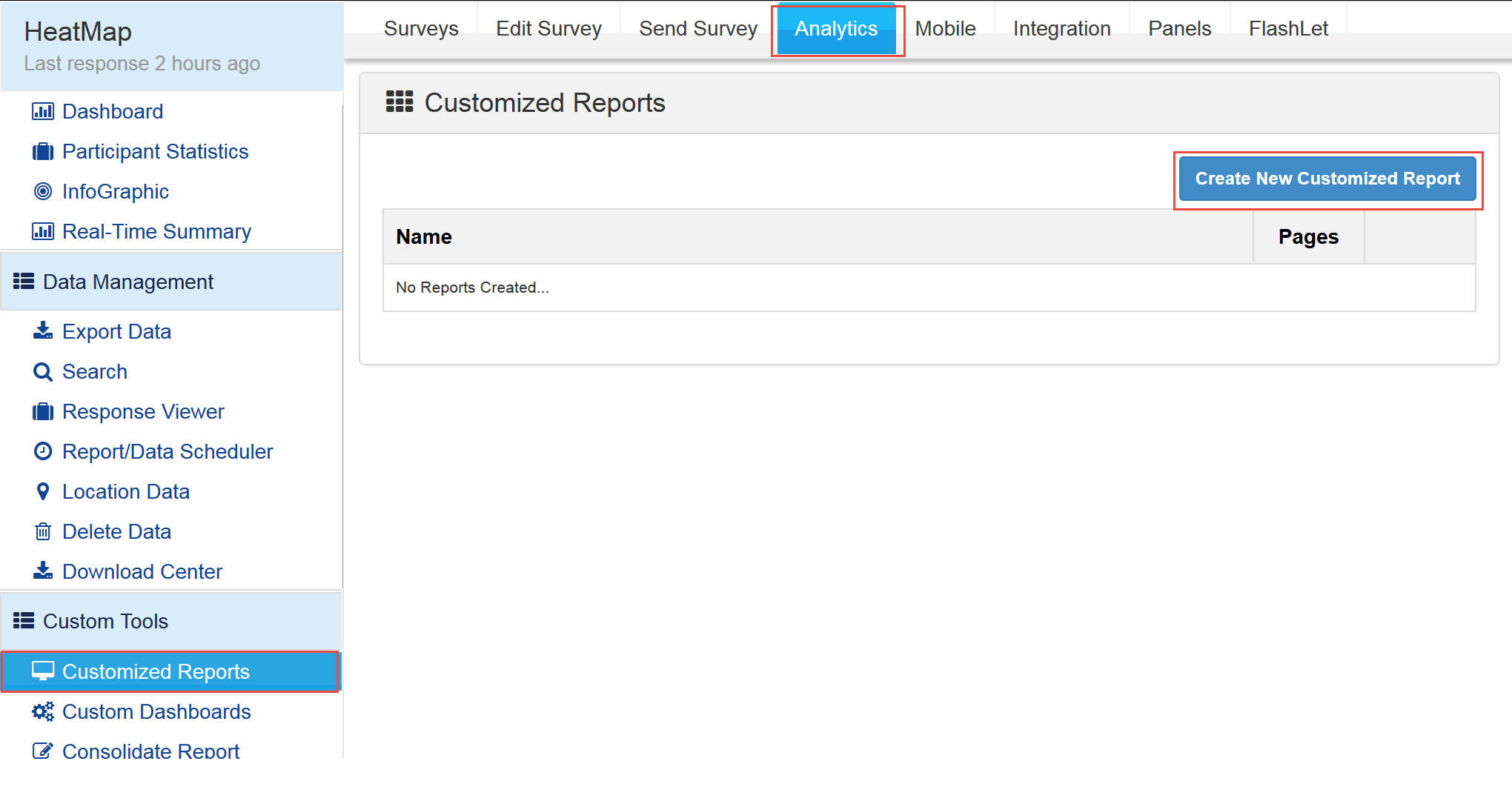
The Customized Reports/Charts tool can be accessed by clicking on
  • Login »  Surveys »  Reports »  Online Tools »  Customized Reports
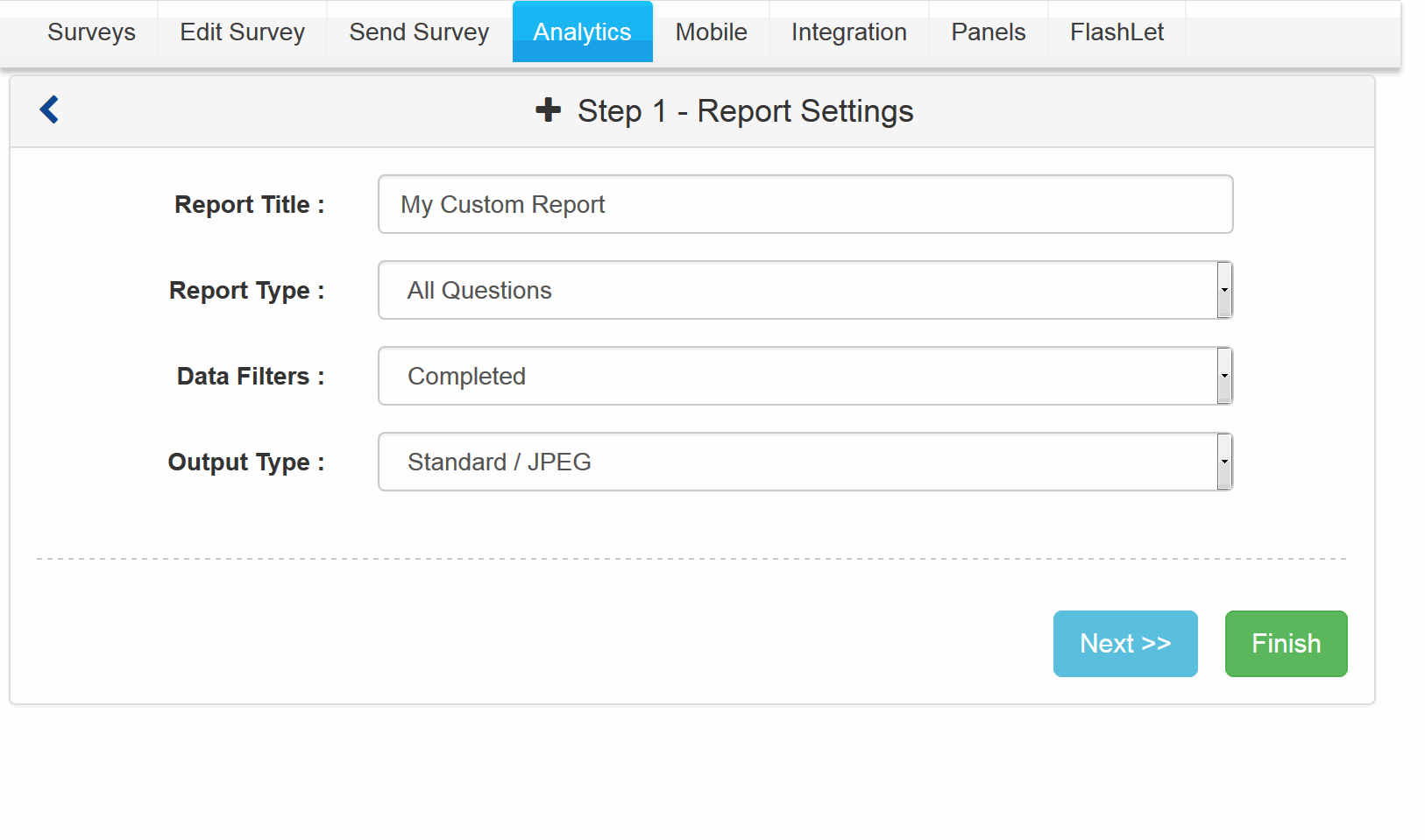
Enter a Name for your report and click on the Create New Online Report button to create a Customized Report/Chart.

${imageID}. Screenshot

Survey Software Help Image

What are the different Customization options?

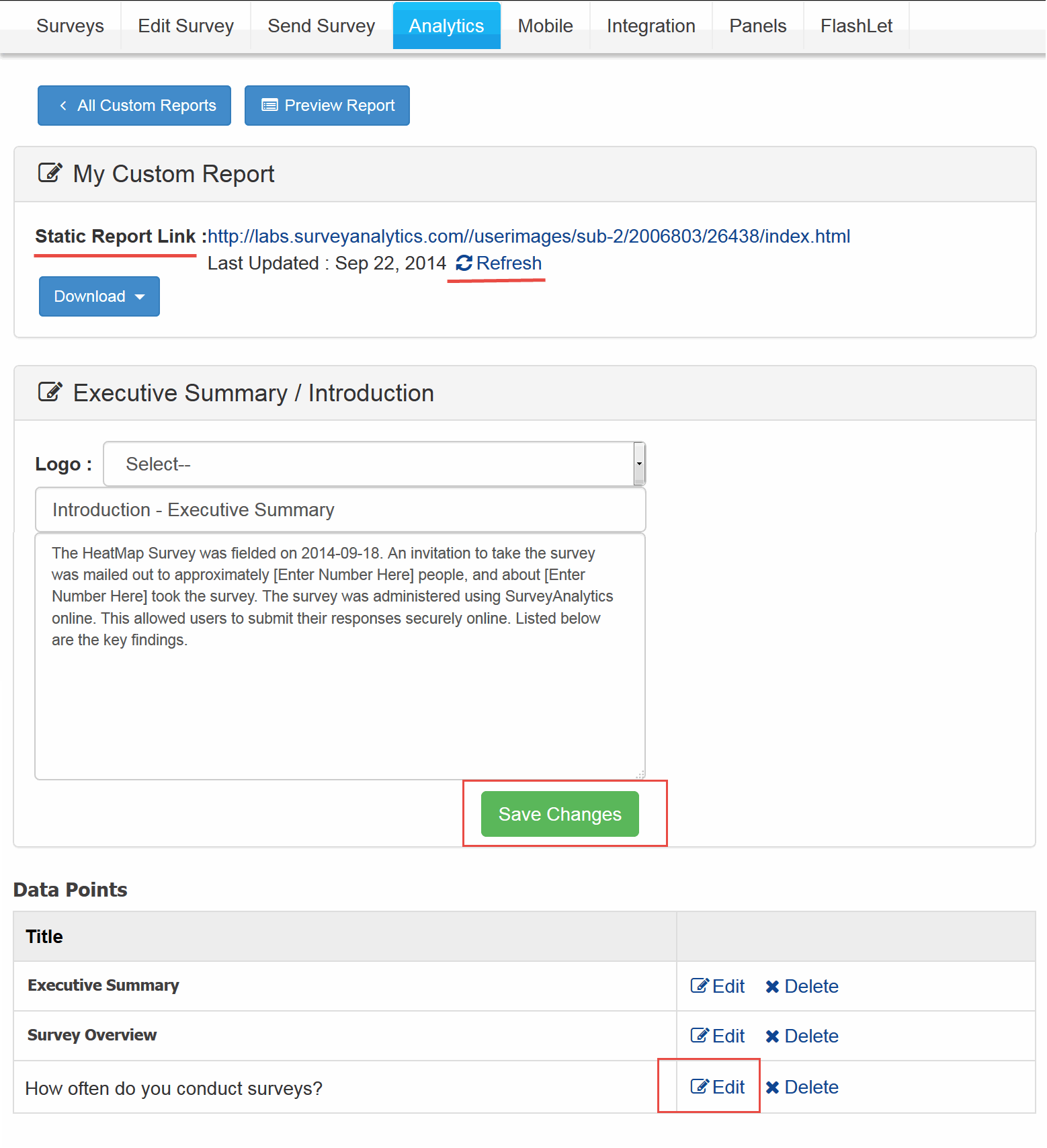
To edit the "Executive Summary" click on the Edit link.

In the Popup window make the changes and click on the Save Changes button.

After making the changes click on the Refresh link for the Report. Only after you click on the Refresh link will the changes reflect.

${imageID}. Screenshot

Survey Software Help Image

What are the different Output options?

Report Link Use this link to view the Report.

Offline Slideshow Click on the Refresh link to download the offline slide show.You can download a Zip File for the Report by clicking on the Zip Ic\ on. The report will be available offline. To share this report with others you can also email the Zip file as an attachment.

I've added questions to my survey, but the slides do not show up!

Custom Reports are Static Reports. You will need to click on the "Refresh" link for the Report to update it so that the Latest Changes are reflected. The slides are created when you create the Customized Report/Chart. If you add/delete/rearrange questions to your survey, you'll have to delete the older Customized Report/Chart and create a new one. This will create a slides for all the questions in your survey.
How can I remove the "Analytics Powered By ...." text on the slides?
You cannot Remove this text.
Survey Setup
Survey Distribution
Survey Analysis / Reporting
Accounts/Billing/Licensing
Site Policies and Procedures
New User Registration / Account Management
Multi-User Accounts : Corporate Accounts
Survey Creation - Details
Survey Building/Authoring - Details
Sending Survey - Details
Survey Administration - Details
Survey Tracking - Details
Analysis and Reporting - Details
Complex Logic Surveys
Conjoint Analysis
TURF Analysis
Trend Analysis
Pricing and Billing
Upgrading Access Restrictions
Advanced Survey Options
Enterprise Toolsets
Salesforce.com Integration
Tutorials
Student Research Sponsorship
Other (Sales/Billing/Partnerships)
© Copyright SurveyAnalytics Survey Software a Division of Survey Analytics Enterprise Survey Software