You may also be interested in...
Go To:
1. Screenshot
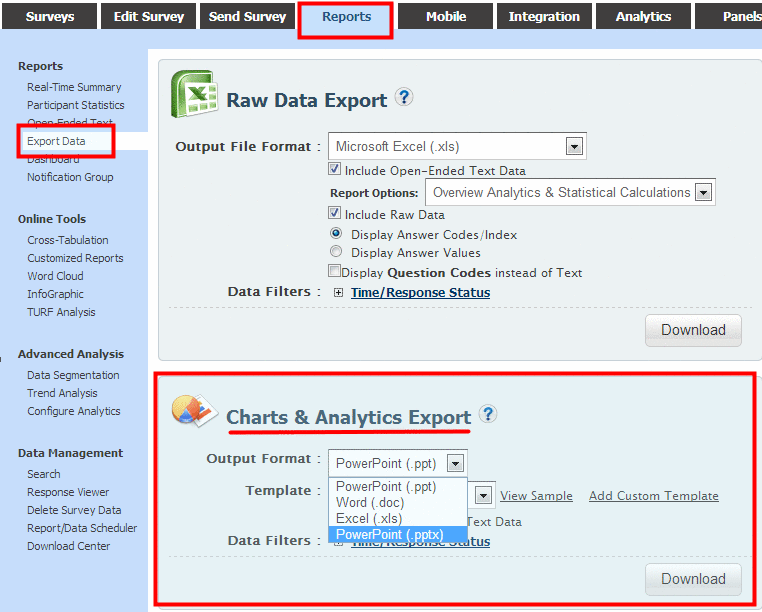
PowerPoint (.ppt)
Word (.doc)
Excel (.xls)
PowerPoint (.pptx)
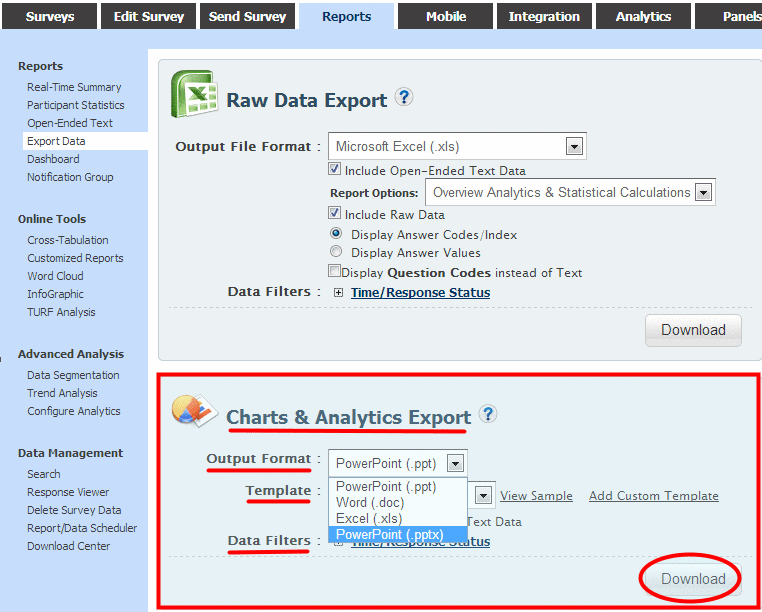
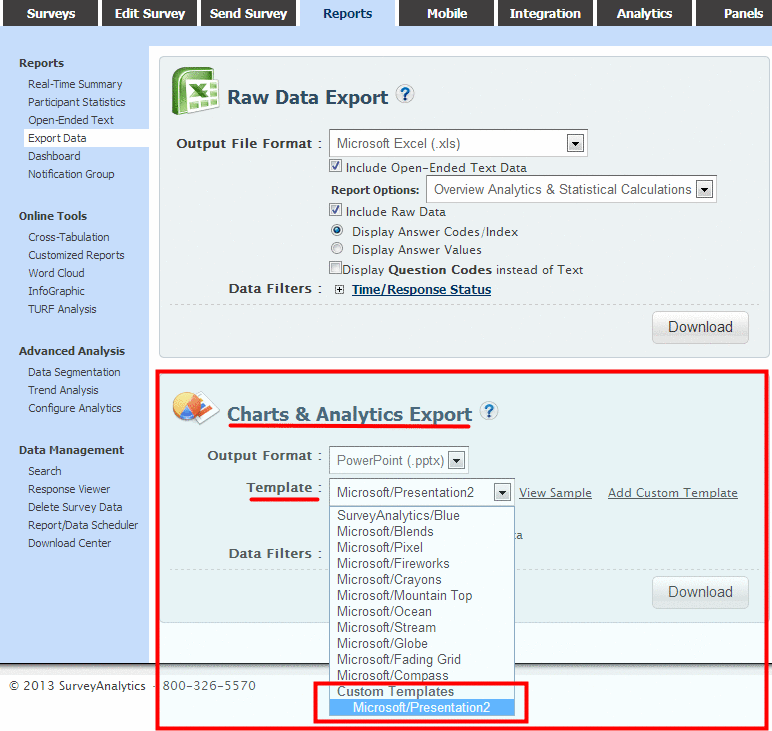
From the Output Format drop menu select the PowerPoint (.ppt) or PowerPoint (.pptx) option.
You can choose a template from the Template drop menu.
Select the check box for Include Open-Ended Text Data to include text responses.
You can select from the Time or Response Status data filters.
Click on the Download button to generate the file.
2. Screenshot
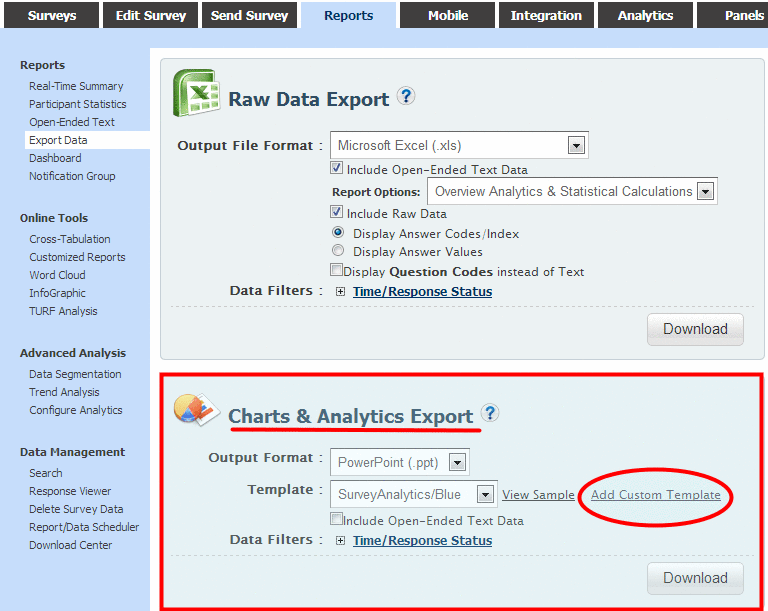
Click on Add Custom Template
8. Screenshot
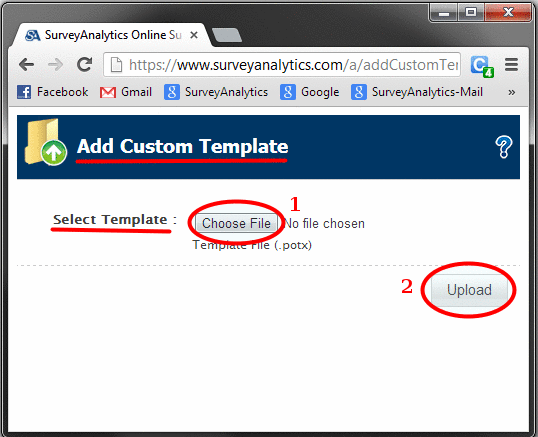
Upload PoerPoint template with .potx format
5. Screenshot
You can choose this custom template from the Template drop menu.
Click on the Download button to generate the file.
6. Screenshot
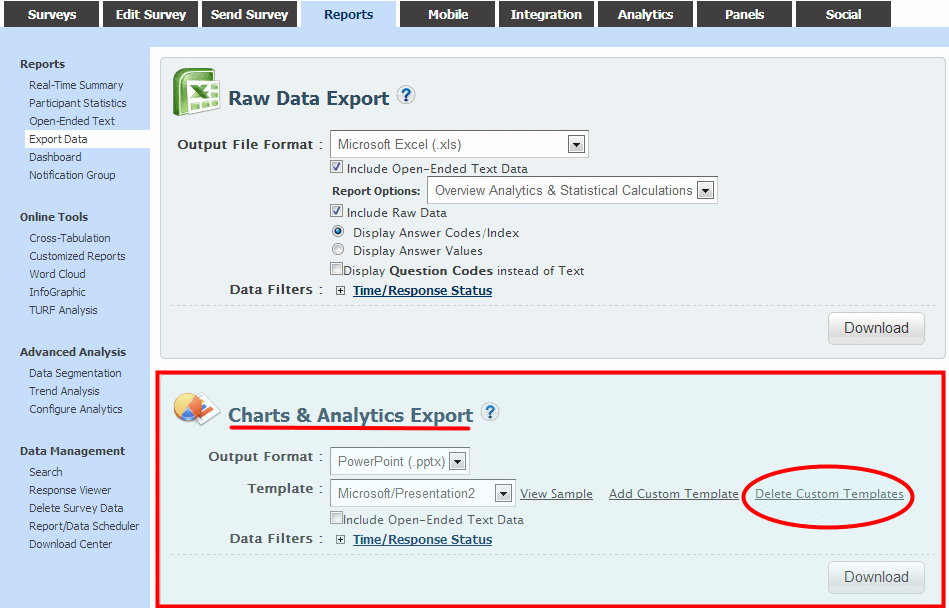
Click on Delete Custom Templates
7. Screenshot
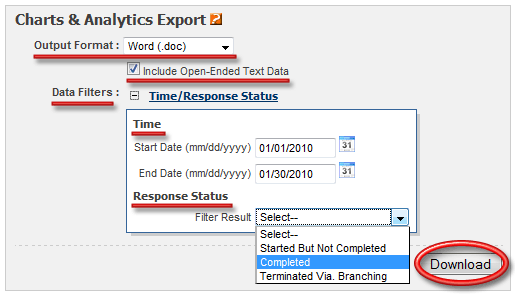
From the Output Format drop menu select the Word (.doc) option.
Select the check box for Include Open-Ended Text Data to include text responses.
You can select from the Time or Response Status data filters.
Click on the Download button to generate the file.
3. Screenshot
The report once generated is automatically emailed to the Account Email address. You can also access/download the generated report(s) from the Download Center.