You may also be interested in...
Quota Control helps you limit the responses to your survey. Using Weighted Quota Control you can set up quota based on responses to multiple questions and / or custom variables.
Survey Analytics implements the "pessimistic" quota system. Exact quota's can be very hard to achieve without close control of invitations being sent out. There are two approaches to quota - pessimistic and optimistic. Pessimistic quota control does not count an individual as passing quota until they have successfully finished an interview. Thus we can be sure that all quota cells are filled, however if a user sends out a lot of invitations there is a strong chance that there will be an over quota situation where too many completes are obtained. Optimistic quota control counts anyone who starts, but has not actually completed, a survey. The advantage is that there will be less chance of being over quota, but a higher risk of being under quota. If going over quota is a problem the user should carefully control the invitations to the survey, sending out all of the invitations at the same time means there is a loss of control. With a little bit of attention exact quota's can be hit.
Go To:
Click on the Add Weighted Quota button.
1. Screenshot
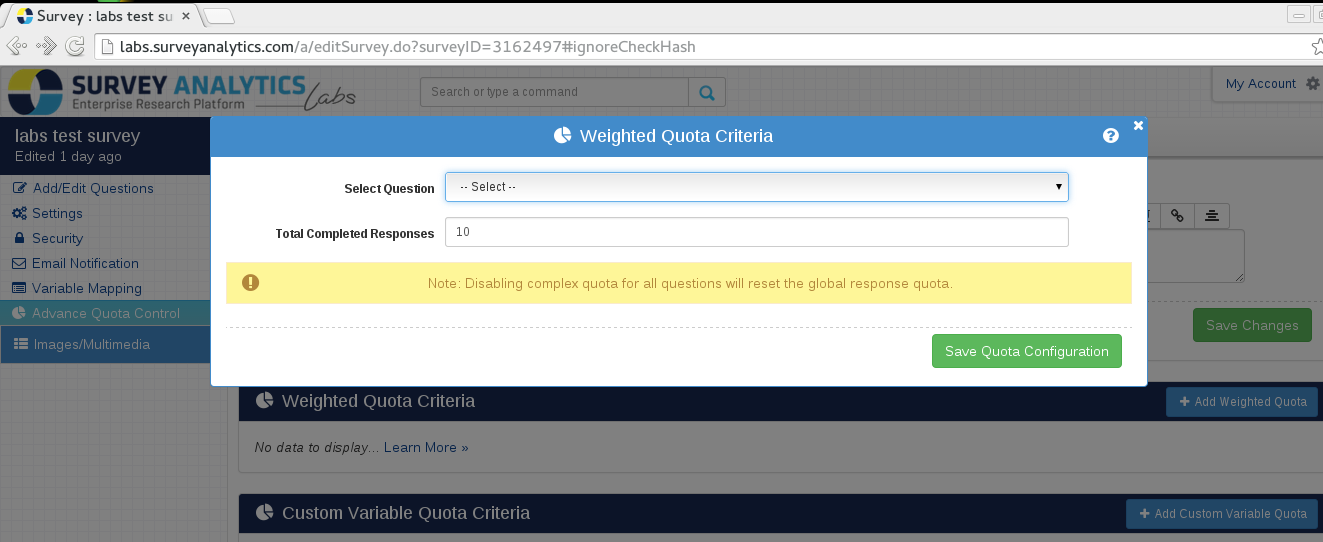
Under Weighted Quota Control
Select either custom variables from Custom Variable Profile or survey question from the Question Profile.
Set up the required quota distribution
Set up the quota for Total Completed Responses
Click on the Save Quota Configuration button.
2. Screenshot
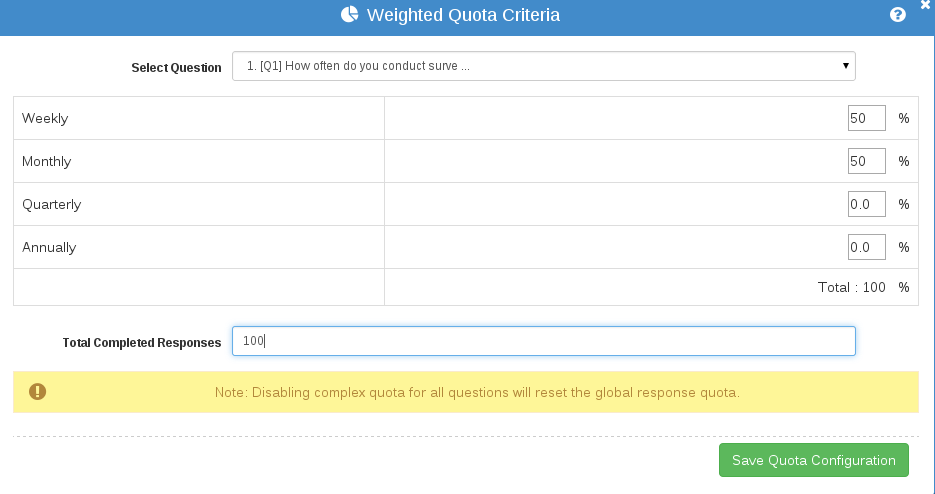
Yes. Follow the same steps as mentioned above and you can setup multiple criteria
3. Screenshot
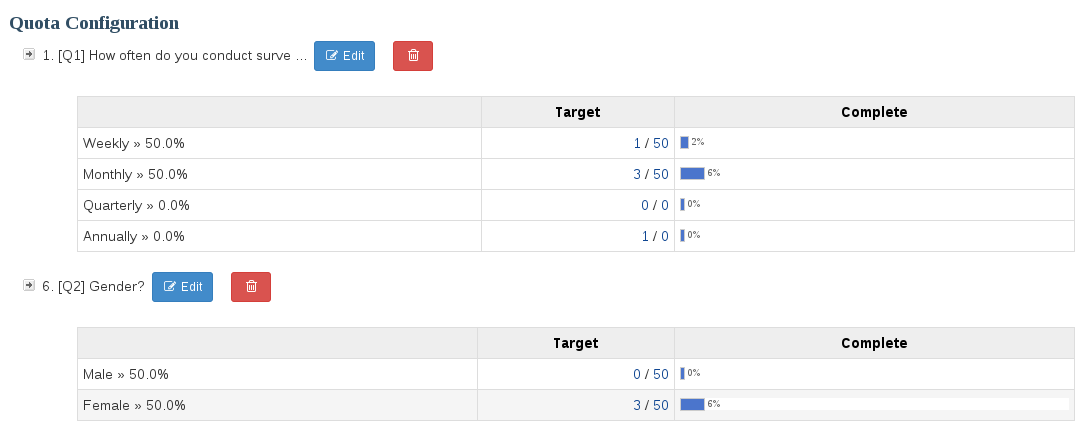
Fundamentally the Quota Control is predicated on the total number of "Completes" - so, in cases where a large number of users are coming to take the survey at the same time, and the quota for a cell has not been reached, the system will allow them to try and complete the survey.
In such cases, when you have a large concurrent userbase, the system has no way of determining if the users that have been allowed to take the survey will actually indeed complete the survey. So, the system WILL NOT throttle until the quota is reached. What this means is that you have the potential of multiple people - who at the time of the quota question - did not have the quota cell filled - may end up completing the survey - thereby having more than the total allocated quota.