Live Help
SurveyAnalytics Features
 »  Features  »  SurveyAnalytics Features

Email / Password (Respondent Login | Individual Password) - How to?

How can I set up security on the survey so that respondents have to enter their email address and password to access the survey?

Global Password protection offers you limited security as respondents may share the password with others. For higher security, you can enable Email Address / Password validation on the Survey. Respondents will have to enter their Email Address along with the individual password for the survey in order to access it.

How to set this up?

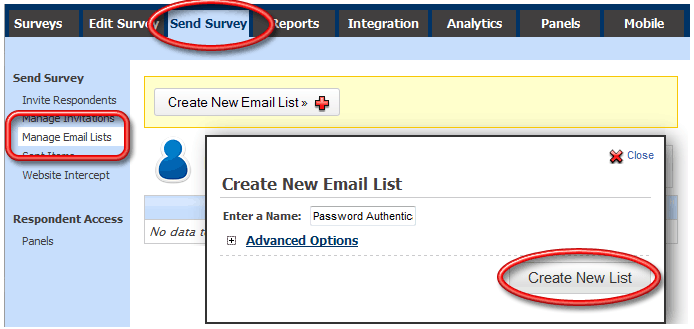
Step 1: Create New Email List

Go To:

  • Login »  Surveys »  Send Survey »  Manage Email Lists
Create a New Email List:

Screenshot
Survey Software Help Image

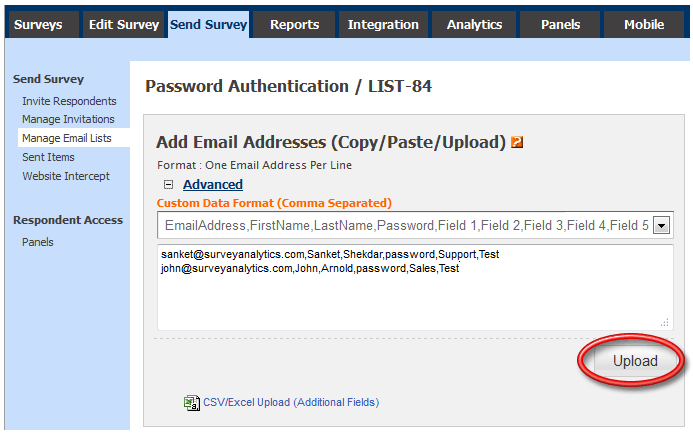
Step 2: Upload / Add Email Addresses

From the Advanced collapse menu, select any of the Email Address with Password option under Custom Data Format

In the text box, enter the data as shown in the screenshot below. Format is: Email_Address,First_Name,Last_Name,Password,Additional_Fileds_optional (Comma separated)

Screenshot
Survey Software Help Image

You can also upload data directly from CSV/Excel file.

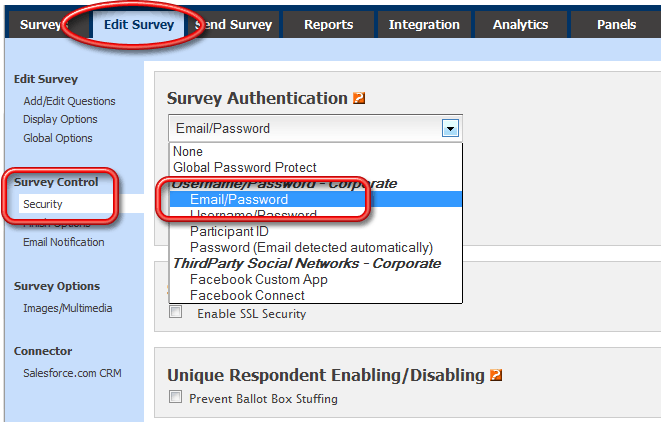
Step 3: Set up Survey Authentication Go to:

  • Login »  Surveys »  (Select Survey) »  Survey Control »  Security
Select the Email / Password option from under Survey Authentication Options.

Screenshot
Survey Software Help Image

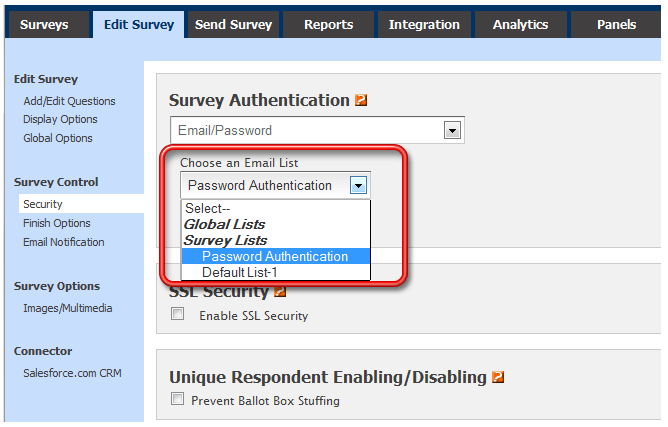
Select the list for which you have uploaded Email Addresses / passwords and save the changes.

Screenshot
Survey Software Help Image

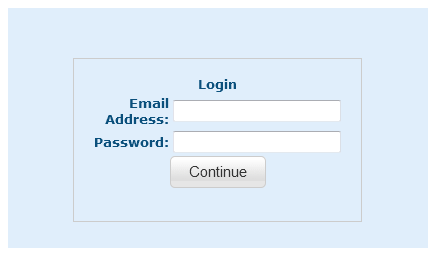
When respondents try to access the Survey, they will need to enter their email address and their corresponding individual password.

Screenshot
Survey Software Help Image

I want respondents to only enter their individual password. Can I still track their email addresses along with their response?

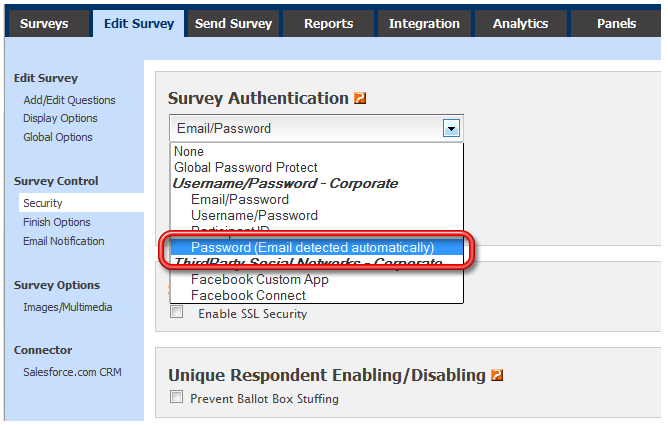
Yes, to do so you simply need to select the Password (Email Detected Automatically) option from under Survey Authentication Options.

Screenshot
Survey Software Help Image

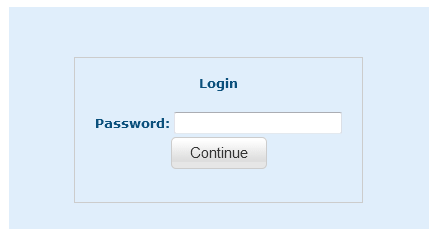
The survey can now be accessed only via the Survey link that is sent via email. Respondents will only need to enter their password. They need not enter their email address however, email addresses are automatically tracked.

Screenshot
Survey Software Help Image

What are the benifits of using this option?

  • You can track responses using the Respondent Tracking link.
  • You can restrict multiple responses from the same respondents using ABBS (Anti Ballot Box Stuffing).
For more information please see Additional References.


General Information
Sitemap
Follow Us On

 
  Blog
 
 
Survey Analytics ©  ·  800-326-5570 Home   |   Privacy Statment