Progress Bar - How To?
What is a Progress Bar?
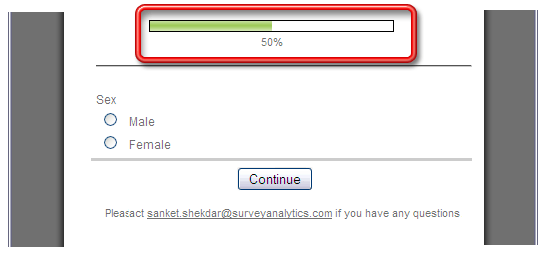
Progress Bar denotes the percentage of Survey loaded.
| Screenshot |
 |
For Example: Suppose you have a Survey with 2 questions and there is a page break after Question 1. When respondents open the survey it will display that 50% of the Survey has been loaded. When respondents answer the question on that page and click on the Continue button the progress bar will display 100% as now the respondent is on the last page of the survey.
For single page surveys the progress bar will always display 100% loaded.
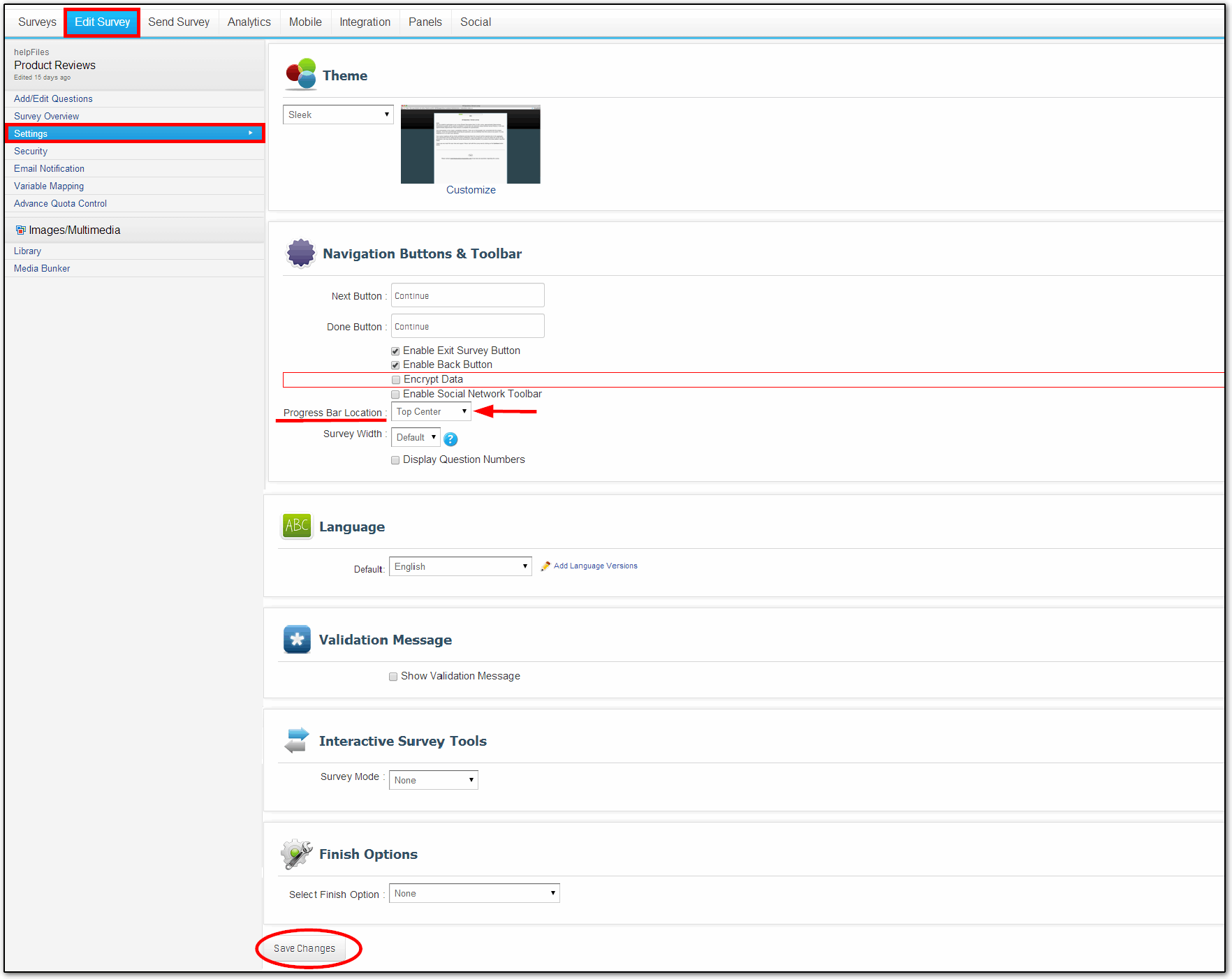
How can I change the location of the Progress Bar displayed on the Survey?
Go To:
- Login » Surveys » (Select Survey) » Display Options
| Screenshot |
 |
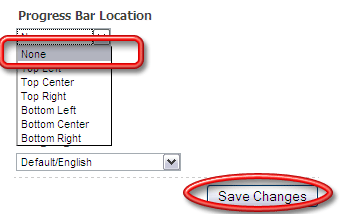
How can I Remove the Progress Bar completely?
To Remove the Progress Bar select the None option from the drop menu.
| Screenshot |
 |
Can I have page numbers instead of Progress Bar?
Currently page number option is not available. Progress bar is the best way to display the status of the Survey.

You may also be interested in...
|